嵌入 FaceBook 影片
若有facebook影片想在網頁呈現,請依照以下步驟:
<style type="text/css">
.embed-container { position: relative; padding-bottom: 56.25%; height: 0; overflow: hidden; max-width: 100%; }
.embed-container iframe, .embed-container object, .embed-container embed { position: absolute; top: 0; left: 0; width: 100%; height: 100%; }
</style>
<div class="embed-container">
<iframe allowfullscreen="" frameborder="0" src="https://www.facebook.com/plugins/video.php?href=影片網址">
</iframe>
</div>
以上語法可用於資訊頁的簡單說明&詳細說明、自訂模組...
範例:進修推廣的課程影片
https://extension.au.edu.tw/p/403-1011-110975-1.php?Lang=zh-tw
step.1.請將以上語法反白貼入r-page的html編輯方框中:
選擇HTML,將語法貼入方框

step.2.到FACEBOOK影片頁面右下「...」選單選擇複製連結
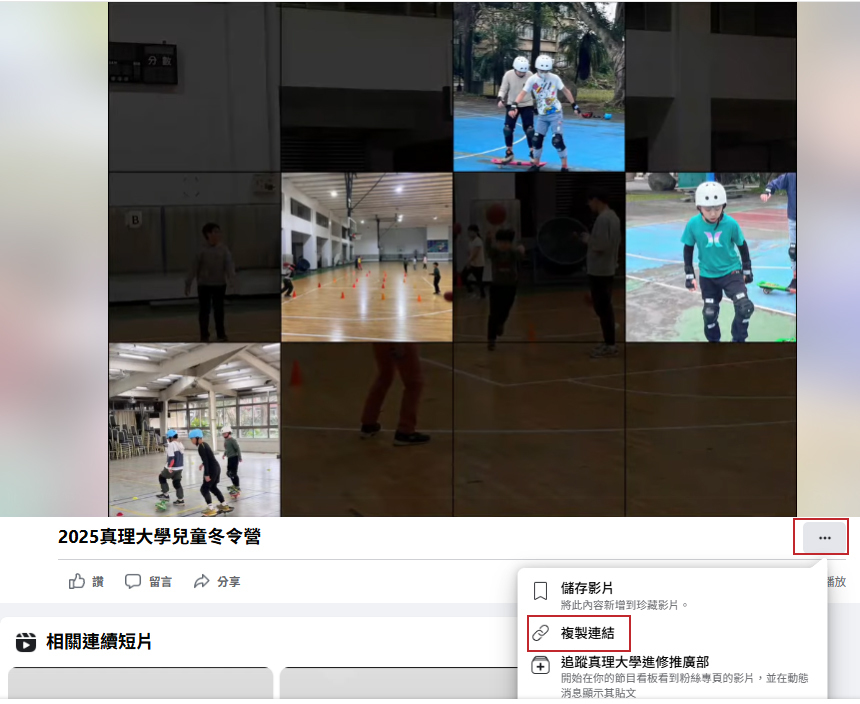
2025真理大學兒童冬令營
1.影片頁面:https://www.facebook.com/aucontinuingeducation/videos/7484625814994974/?ref=embed_video&t=0
2.影片連結:https://www.facebook.com/watch/?v=7484625814994974
(COPY影片連結)
step.3.到FACEBOOK影片頁面右下「...」選單選擇複製連結
將COPY影片連結替換掉 影片網址
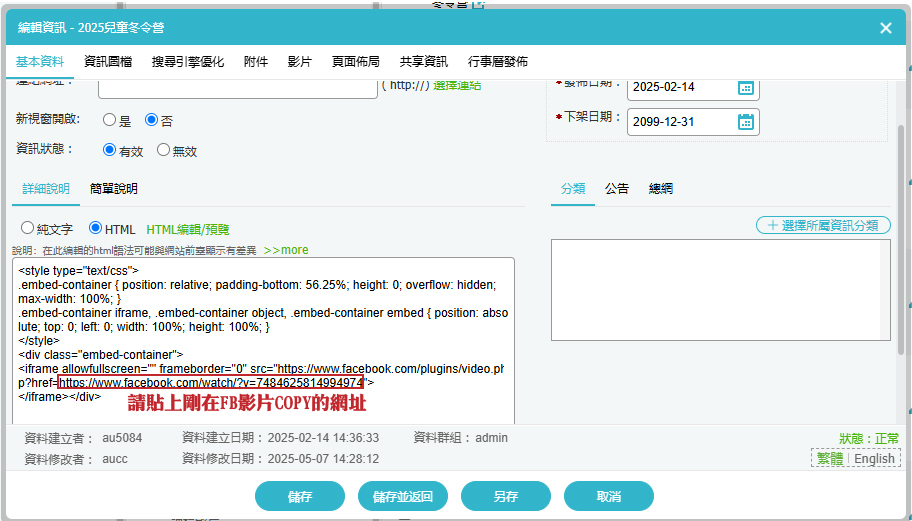
按下儲存返回,就完成了~
完成頁面:
https://extension.au.edu.tw/p/404-1011-112128.php?Lang=zh-tw
注意事項:
- 若使用公告模組,希望做到點公告資訊前影面可顯示,點下去進入完整頁面也可以看到影片,簡單說明和詳細說明都要貼上完整的嵌入網址
- 選擇HTML時,不要點「html編輯/預覽」再貼,這些語法會被編輯器視為文字而導致頁面錯誤
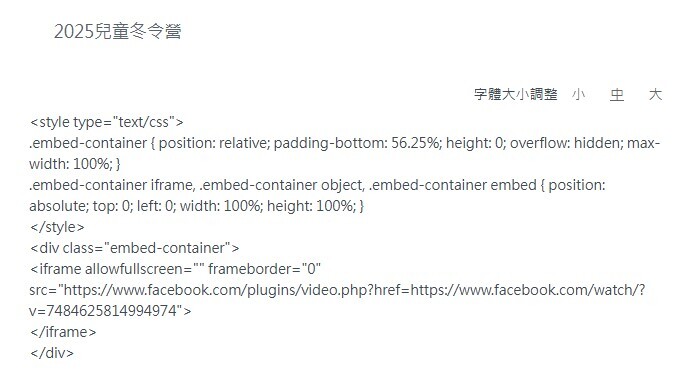
(點「html編輯/預覽」進入編輯器再貼語法造成錯誤的顯示狀況)